 Teamwise Super Admin
4. Channel Management Module
1. Channels List View
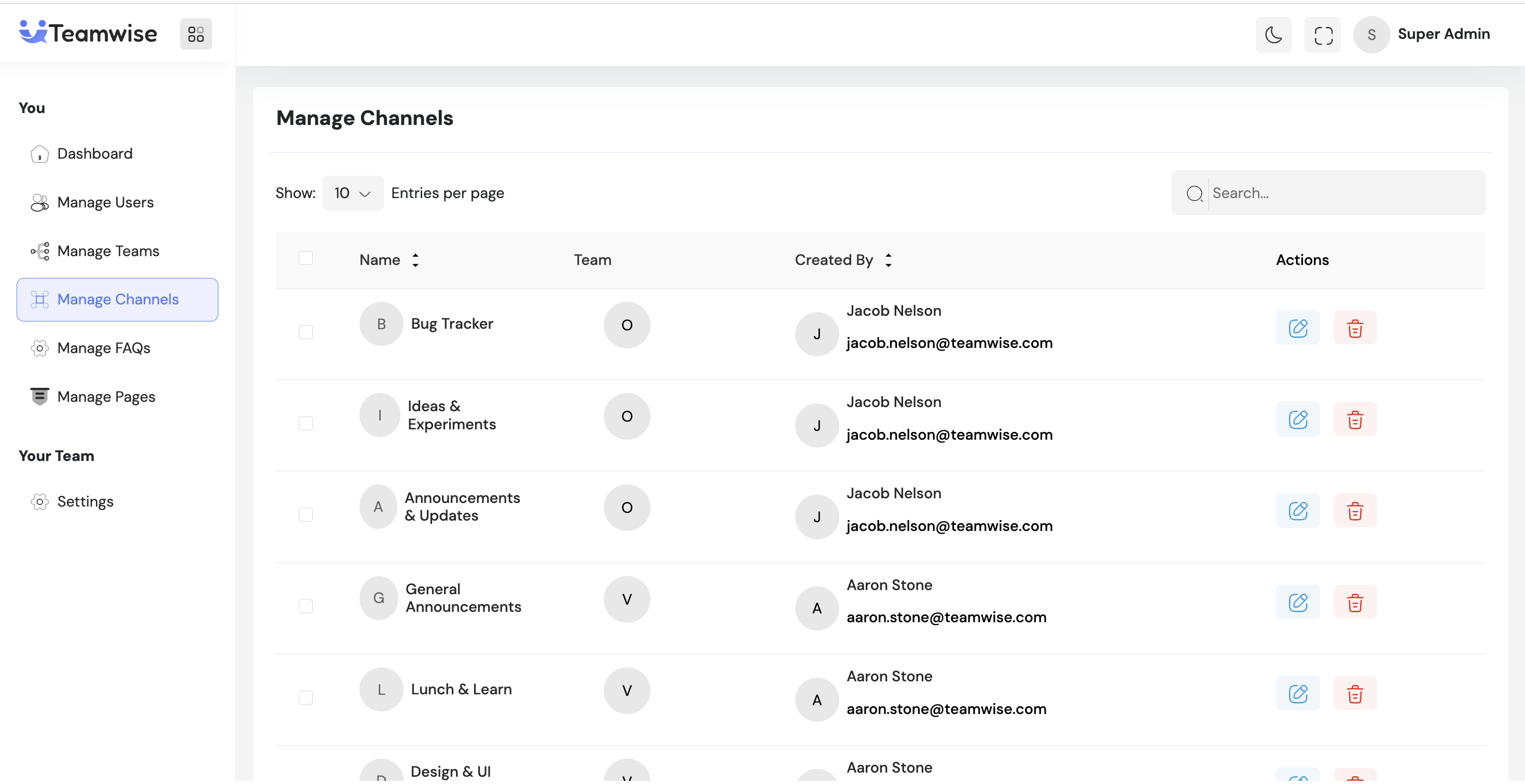
The channels table displays all channels with channel name (with avatar), associated team, and action buttons (Manage/Edit and Delete).
2. Edit/Manage Channel
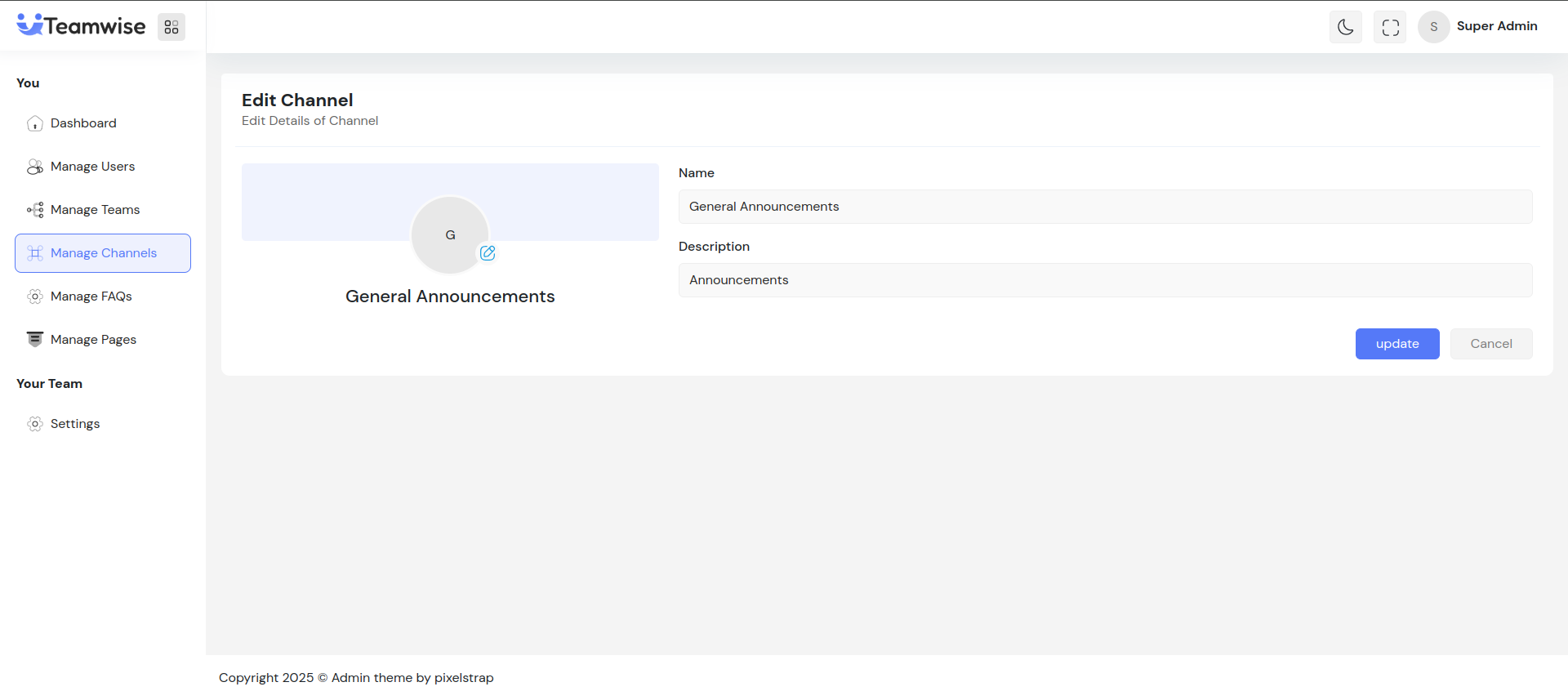
Admin can click Manage to modify:
-
- Channel Avatar (upload, change, or remove)
-
- Channel Name
-
- Description: Edit channel description
-
- Admin Email: View-only field showing the channel admin's email
After updating, changes are saved and reflected immediately in the channels list.
3. Delete Channel
When admin clicks Delete, upon confirmation, the channel is permanently deleted and removed from the table. Bulk delete is available for multiple channels.
Key Points
-
- All actions show instant feedback via toast notifications
-
- Deleted channels are permanently removed from the system
-
- Channel avatar can be uploaded, edited, or removed
-
- Admin email is view-only and cannot be modified
-
- Search and pagination available for easy navigation
What's Next?
Let’s get started — your team’s new home is Teamwise Chat!


