 Teamwise Team Admin
4. Manage Channels
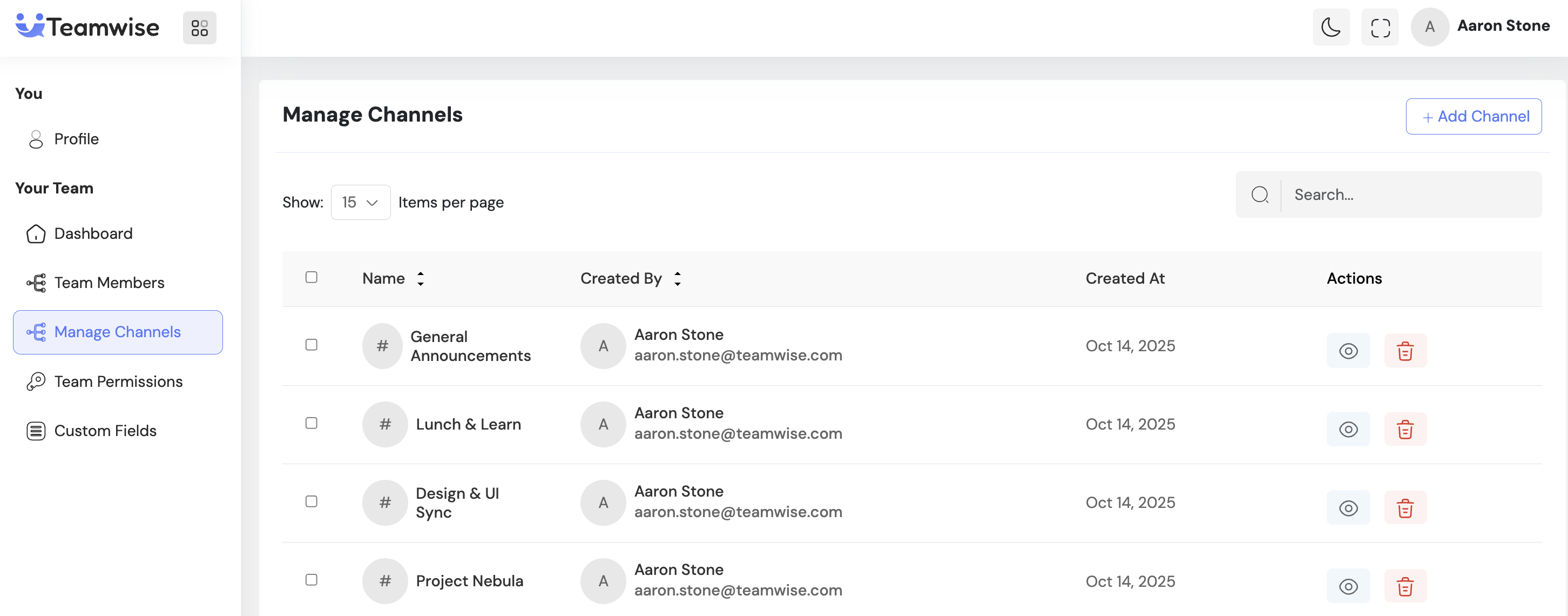
The Manage Channels module provides team administrators with complete oversight of all communication channels within the workspace. This interface enables admins to organize team discussions, control channel access, manage membership, and maintain a well-structured communication hierarchy — regardless of channel privacy settings.
Core Functionality:
1. Channel Listing
Displays all team channels in a comprehensive table view, including:
-
- Channel name and avatar/icon
-
- Creator details (name and email)
-
- Creation date and member count
Admins can easily search or sort channels for quick navigation and organization.
2. Channel Creation
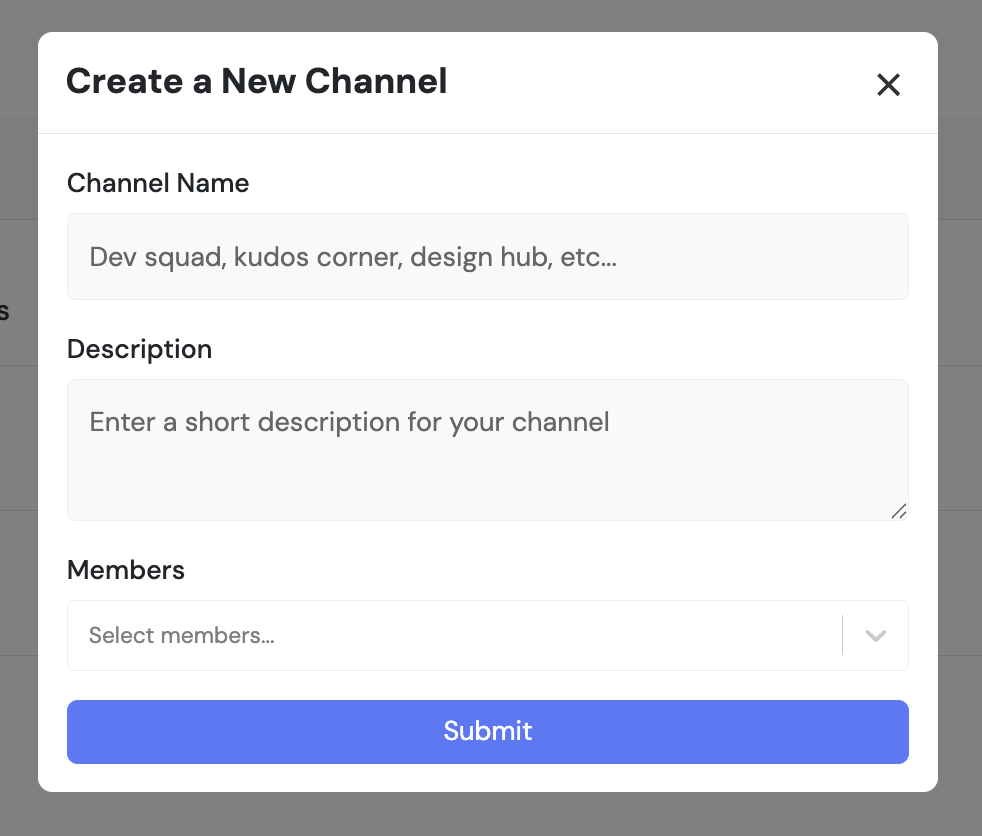
Admins can create new channels by specifying:
-
- Channel name and description
-
- Privacy settings (Public or Private)
-
- Initial member selection
Public channels are open to all team members, while private channels are restricted to invited users only.
3. Channel Details & Member Management
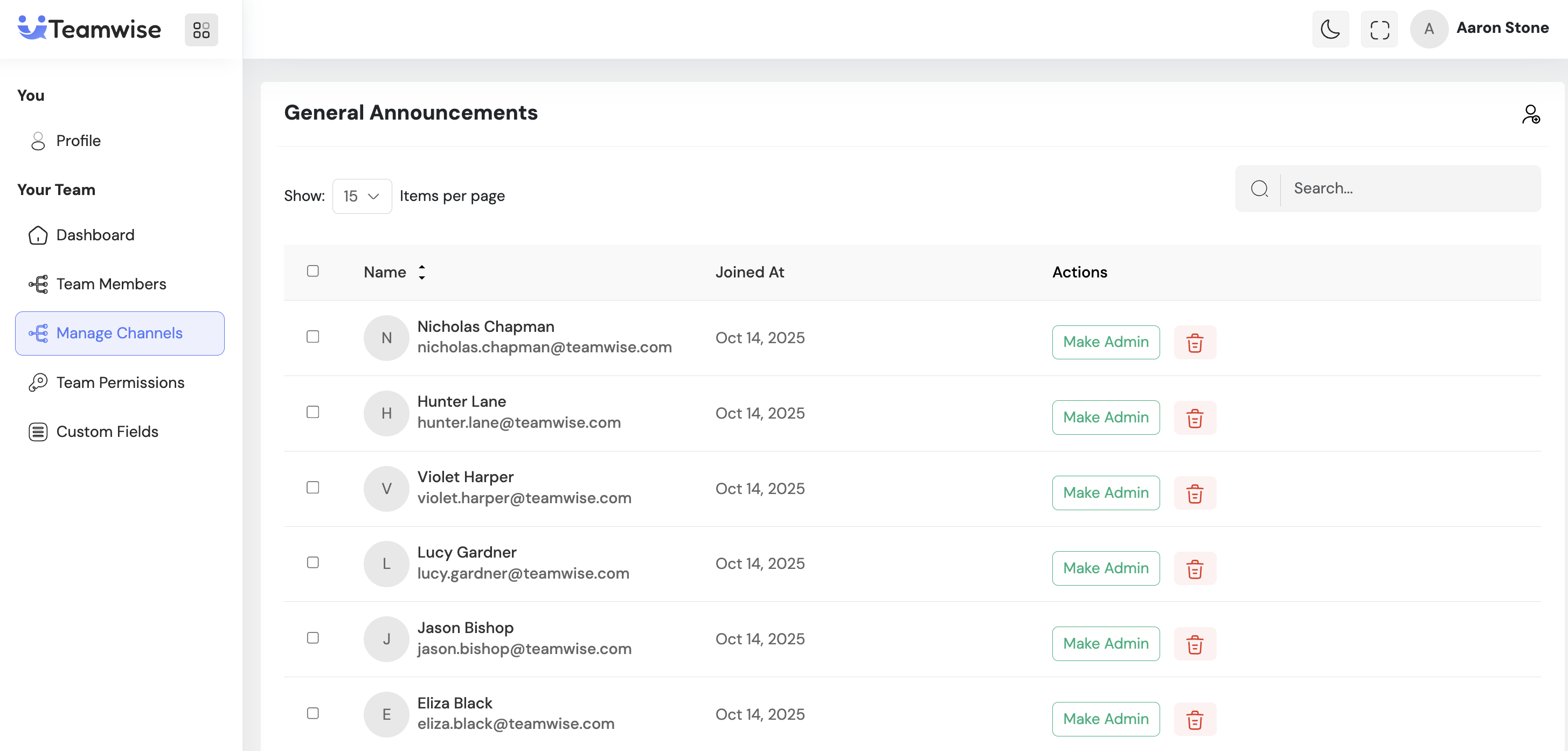
Selecting a channel opens its detailed view, showing:
-
- Channel information and settings
-
- Complete member list
-
- Activity metrics
From this view, admins can add or remove members and adjust channel settings based on team roles and requirements.
4. Channel Modification
Admins can update key channel properties such as:
-
- Channel name
-
- Description
-
- Privacy settings (switch between public/private)
All configuration changes are applied instantly across the team, and the system maintains an audit trail for transparency.
5. Channel Deletion
Channels can be permanently removed from the workspace.
-
- Deletes all related messages, files, and membership records
-
- Supports bulk deletion for multiple channels
-
- Includes confirmation prompts to prevent accidental removals
Key Points
-
- Full visibility into all channels (public and private)
-
- Create and configure channels with custom privacy and member settings
-
- Manage member lists directly within channel details
-
- Bulk deletion support for efficient workspace cleanup
-
- Instant updates visible to all members upon modification
-
- Advanced search and sorting for scalable channel management
-
- Confirmation prompts for all destructive actions
-
- Audit trailmaintained for every channel modification
What's Next?
Let’s get started — your team’s new home is Teamwise Chat!


