 Teamwise Super Admin
5. Faq Management Module
1. FAQs List View
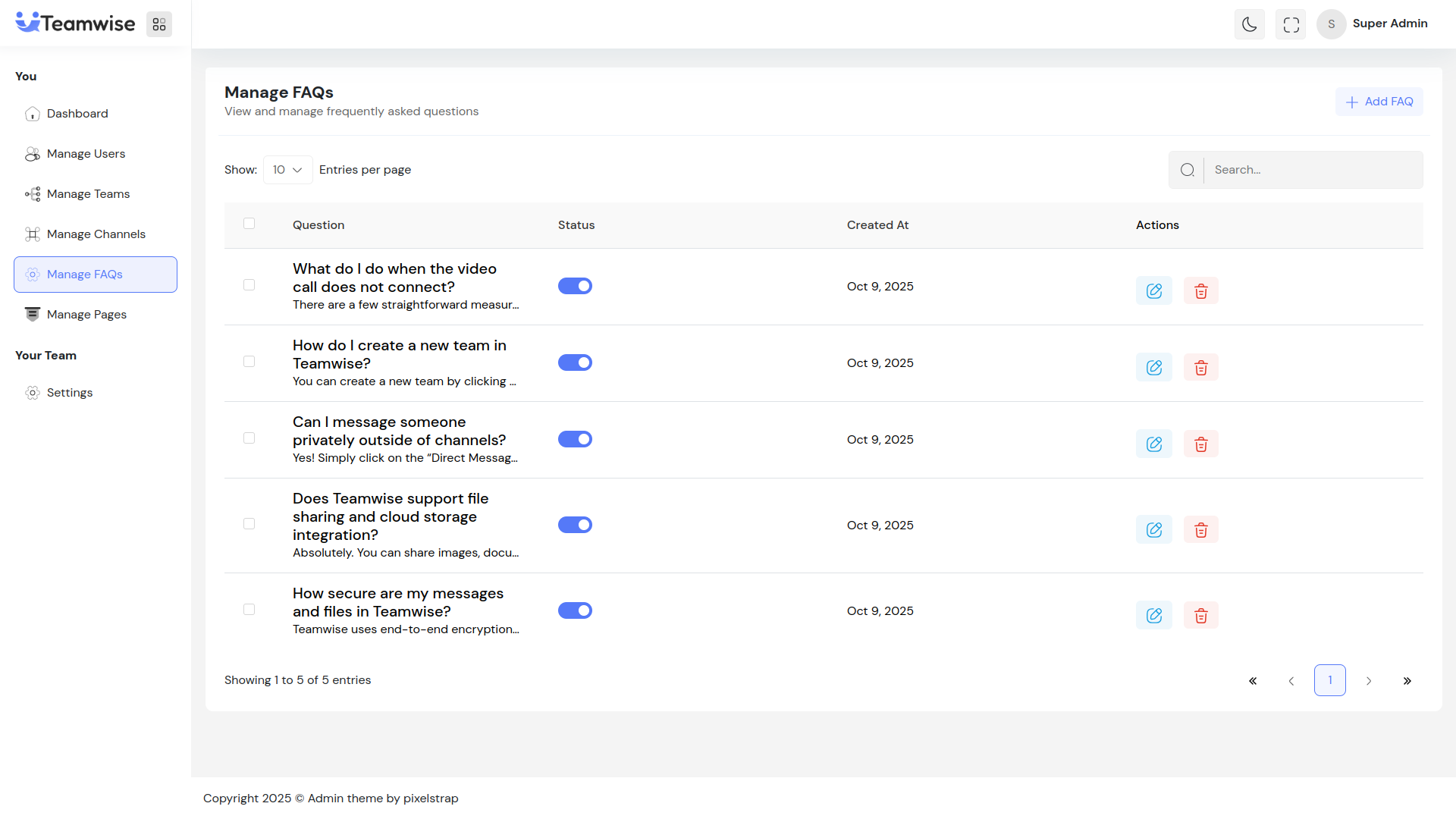
The FAQs table displays all questions with question text, answer preview (truncated), status toggle, creation date, and action buttons (Edit and Delete).
2. Add/Edit FAQ
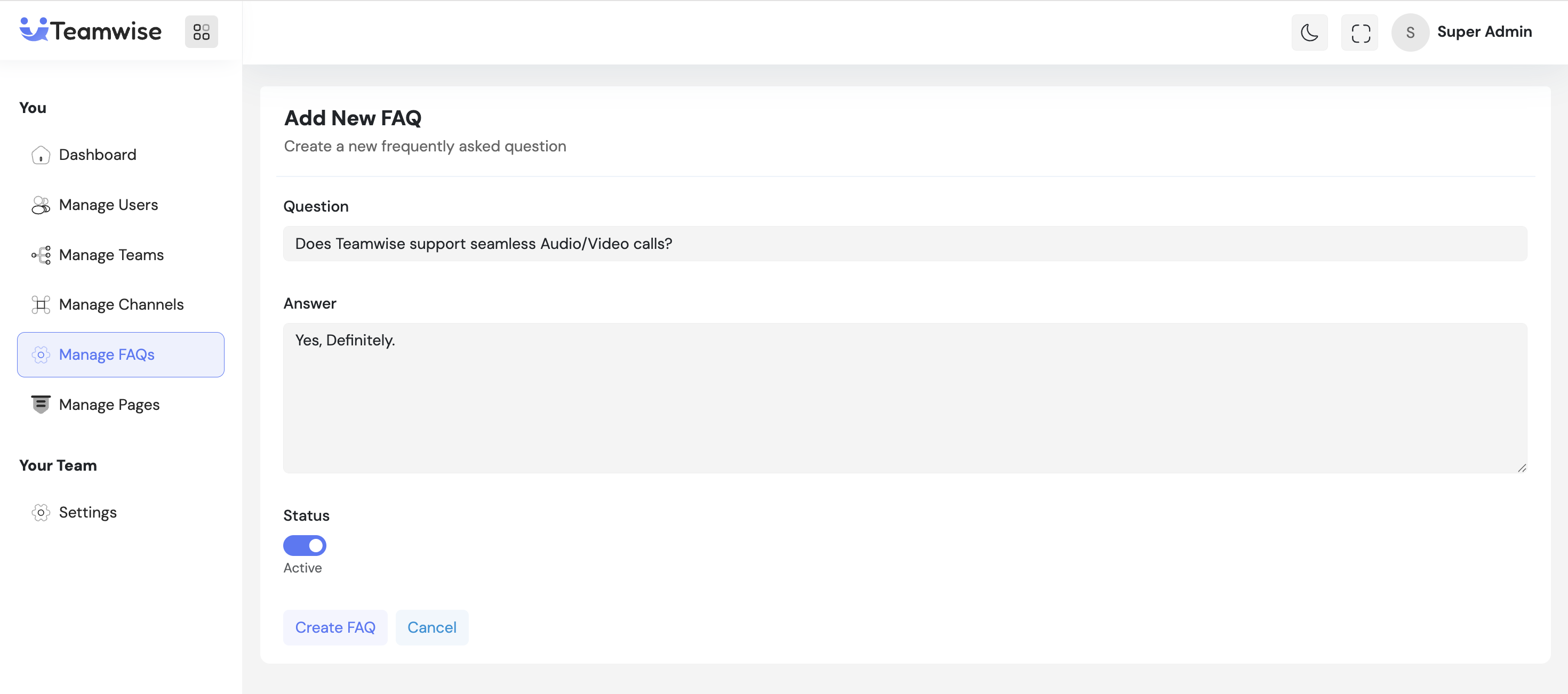
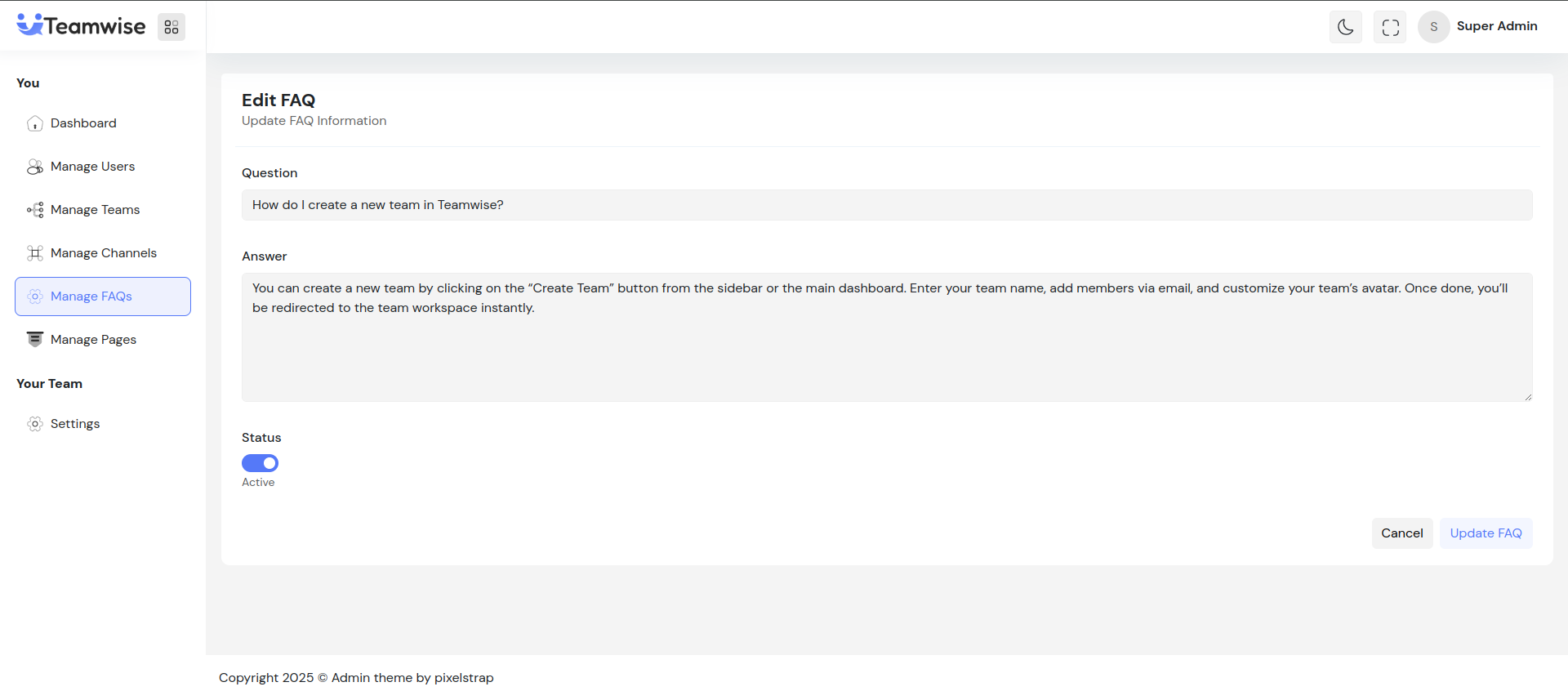
Admin can click Add FAQ or Edit to manage:
-
- Question (10-500 characters)
-
- Answer (10-2000 characters)
-
- Status (Active/Inactive toggle)
After saving, the FAQ is created/updated and appears in the list.
3. Toggle FAQ Status
Admin can activate/deactivate FAQs using the status toggle. Active FAQs are visible to users, inactive ones are hidden. Status changes take effect immediately.
4. Delete FAQ
When admin clicks Delete, upon confirmation, the FAQ is permanently deleted and removed from the table. Bulk delete is available for multiple FAQs.
Key Points
-
- Active FAQs are visible to users, inactive ones are hidden
-
- Question (10-500 characters) and answer (10-2000 characters) limits
-
- Bulk delete available for multiple FAQs
-
- All changes reflect immediately with success notifications
What's Next?
Let’s get started — your team’s new home is Teamwise Chat!


