 Teamwise Team Admin
2. Dashboard
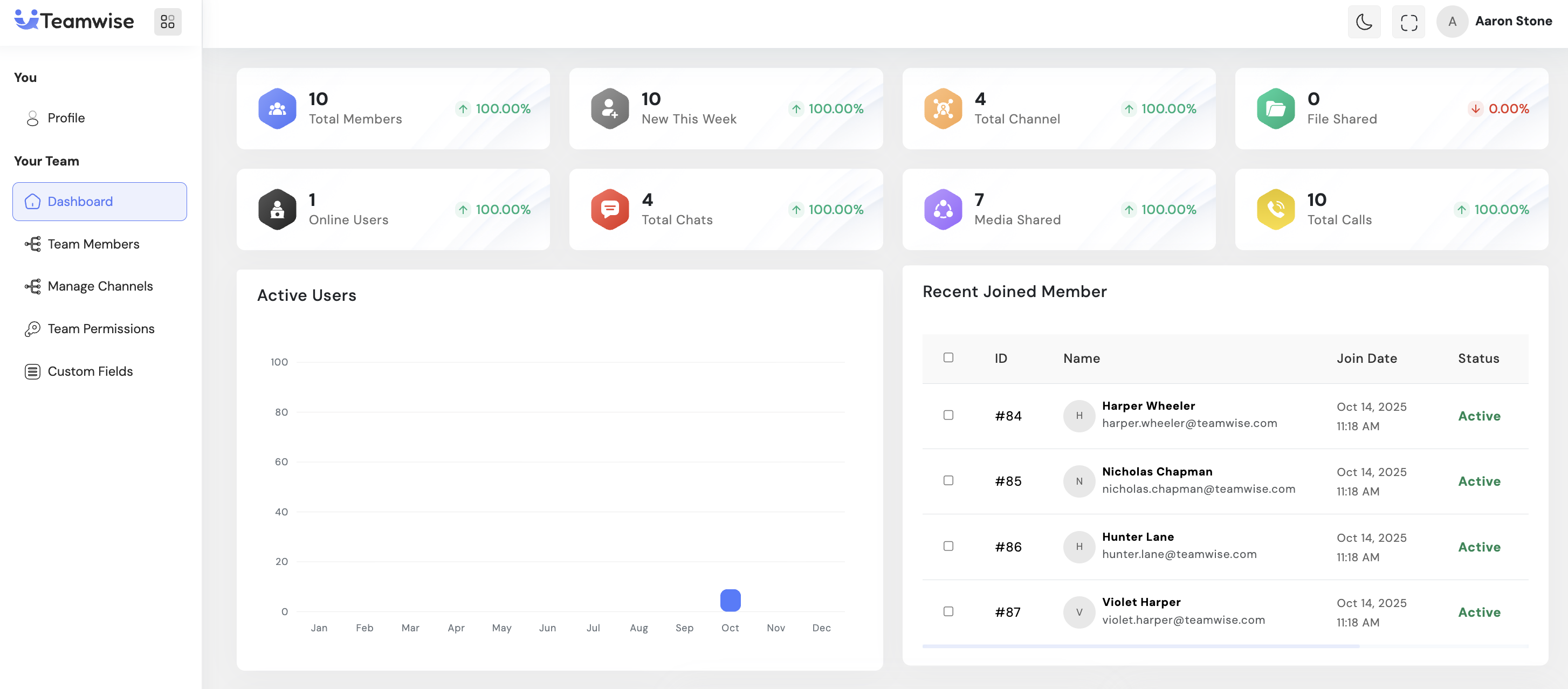
The Dashboard serves as the analytics and insights hub for team administrators, providing a comprehensive real-time overview of team activity, growth metrics, and engagement patterns. This centralized view enables admins to monitor team health, track user behavior, and make data-driven decisions about team management and resource allocation.
Core Functionality:
Statistical Widgets:
The dashboard displays eight key performance indicator widgets showing metrics such as total active users, total members, message counts, file uploads, channels, and other vital team statistics. These widgets provide instant visibility into team activity and resource utilization.
Active Users Tracking:
A graphical visualization displays user activity patterns over time, helping admins identify peak usage periods and engagement trends. This data assists in understanding when team members are most active and planning communications accordingly.
Recent Joined Members:
Displays a list of newly added team members with their profile information and join dates, keeping admins informed about team growth and enabling timely onboarding actions.
Message Type Distribution:
Visual analytics break down communication patterns by message types (text, files, media, etc.), providing insights into how team members collaborate and share information across the platform.
Invited Members Status:
Shows pending invitations with details of users who have been invited but haven’t yet joined the team, allowing admins to track and follow up on outstanding invitations.
Location-Wise Users:
Geographic distribution visualization of team members, useful for understanding team spread across different locations and planning for timezone considerations in distributed teams.
Pending Join Requests:
Consolidated view of users requesting team access, displaying their information and allowing admins to review and process membership requests efficiently.
Team Growth Metrics:
Time-series charts showing team expansion over different periods (daily, weekly, monthly), helping admins track growth trends and measure recruitment success.
Key Points
-
- Real-time data visualization across all metrics
-
- Automatic dashboard refresh for current information
-
- Multiple analytical views in a single interface
-
- Actionable insights for team management decisions
-
- Historical data tracking for trend analysis
-
- Direct access to pending requests for quick processing
What's Next?
Let’s get started — your team’s new home is Teamwise Chat!


